 Lemma
Lemma
Everything you can change, and how it looks
Each section shows one option of the bot with an example. The card images are made by Lemma itself, with invented data. The examples are what an English-language server sees; Portuguese servers see the same in Portuguese. Server managers change many of these options on the server setup page.
Options per server Manager
Every server has its own options. You pick them on the server setup page, which gives you a code, and apply them with /setup code:. Anything you do not change keeps its default.
| Option | Values | Default |
|---|---|---|
| Language | English or Português | the server's language on Discord |
| Card style | buttons, image A, B or C | image C |
| Read the game channel | on or off | off |
| Weekly recap | on or off, day, hour and time zone | on, Sunday, 21:00, Lisbon |
| Title roles | on or off | on |
| Photos | on or off | on |
| First-time tip | on or off | on |
| Game channel | a text channel, picked in Discord | not set |
/setup with no options shows the current settings and their code, so you can load it on the page and change it.
Language per server Manager
Every server picks its language: English or Português. It changes the names of the commands, the bot's messages and images, and the dictionary that checks the words. A new server starts in the language Discord has for it, and a manager changes it on the server setup page.
| Language | Dictionary | What counts |
|---|---|---|
| English | Wiktionary | nouns, adjectives and verbs in the base form; plurals enter as the singular |
| Português (Portugal) | Priberam Dictionary | nouns, adjectives and verbs in the infinitive; plurals enter as the singular |
Command names
| Portuguese servers | English servers |
|---|---|
/ajuda | /help |
/ranking | /ranking |
/perfil | /profile |
/titulos | /titles |
/procurar | /search |
/apagar | /delete |
/reset | /reset |
/estatisticas | /stats |
/pendentes | /pending |
/estilo | /style |
/semfoto | /nophoto |
/configurar | /setup |
/palavra | /word |
/resumo | /recap |
/importar | /import |
| Lançar como palavra | Post as word |
Switching language renames the server's commands and redraws the cards already posted, little by little. Words stay as they are.
Card style Manager
The /style command (or the setup page) changes all of the server's cards at once, the existing ones and the next ones. Votes stay as they are. There are four styles; the default is C.
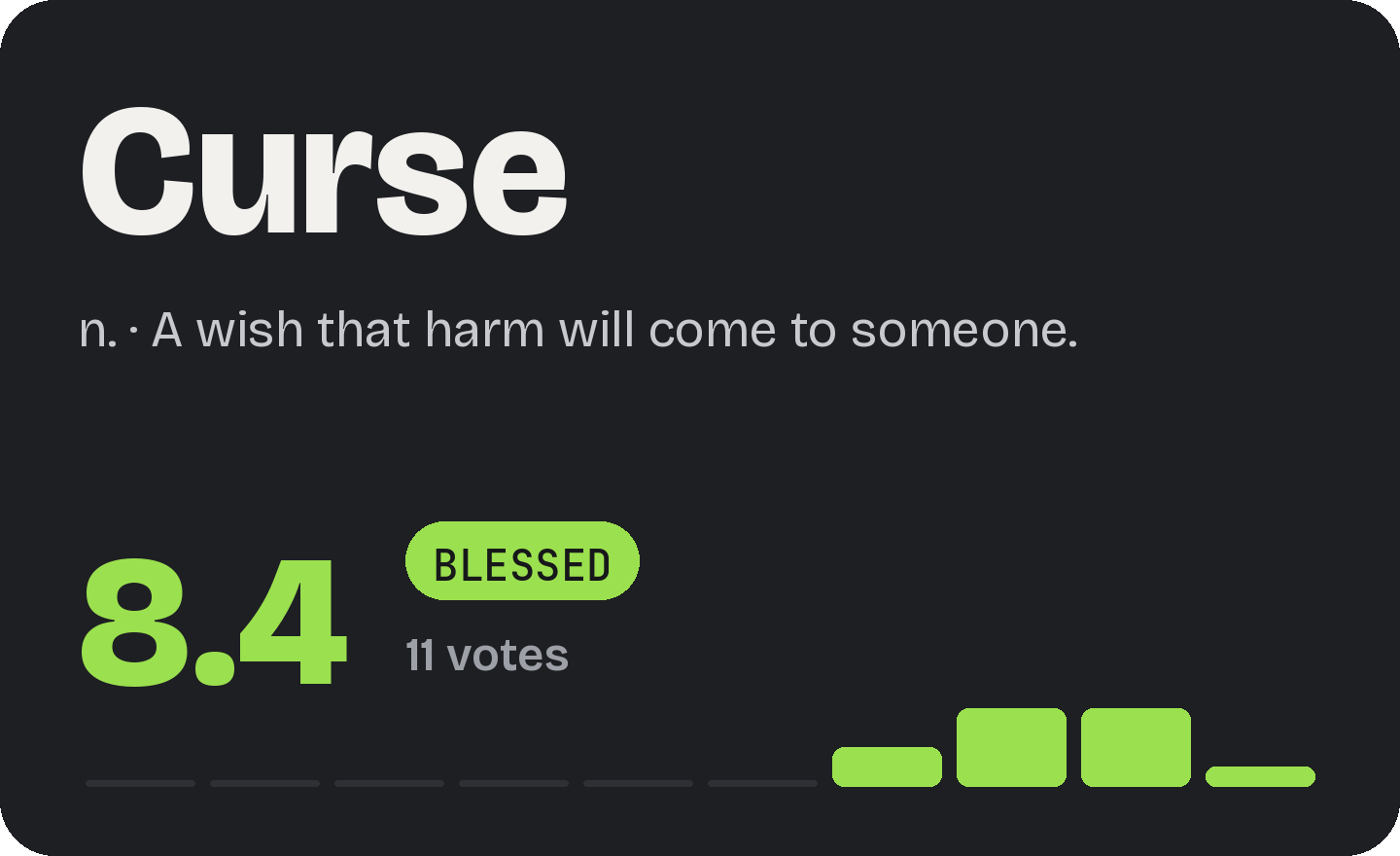
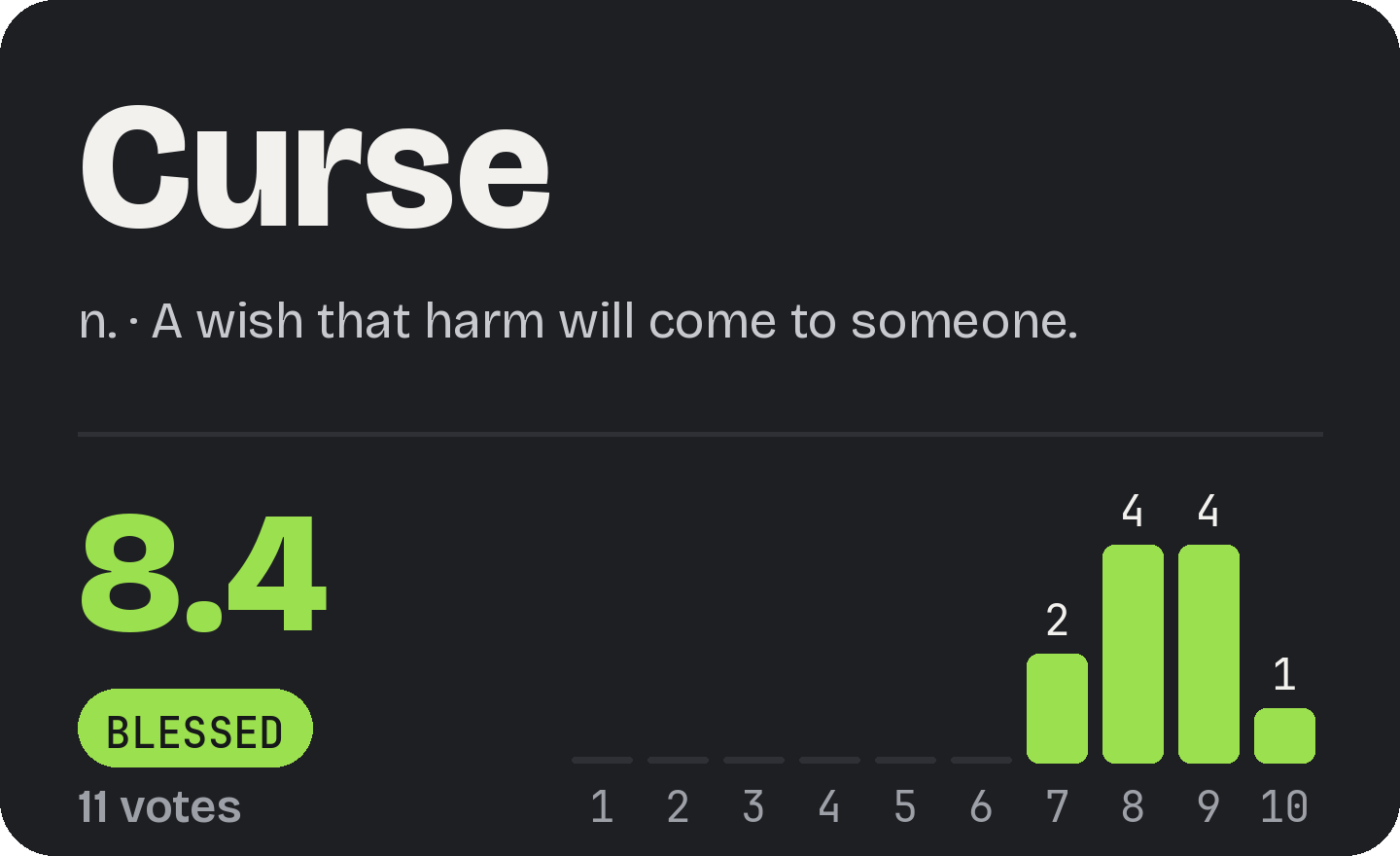
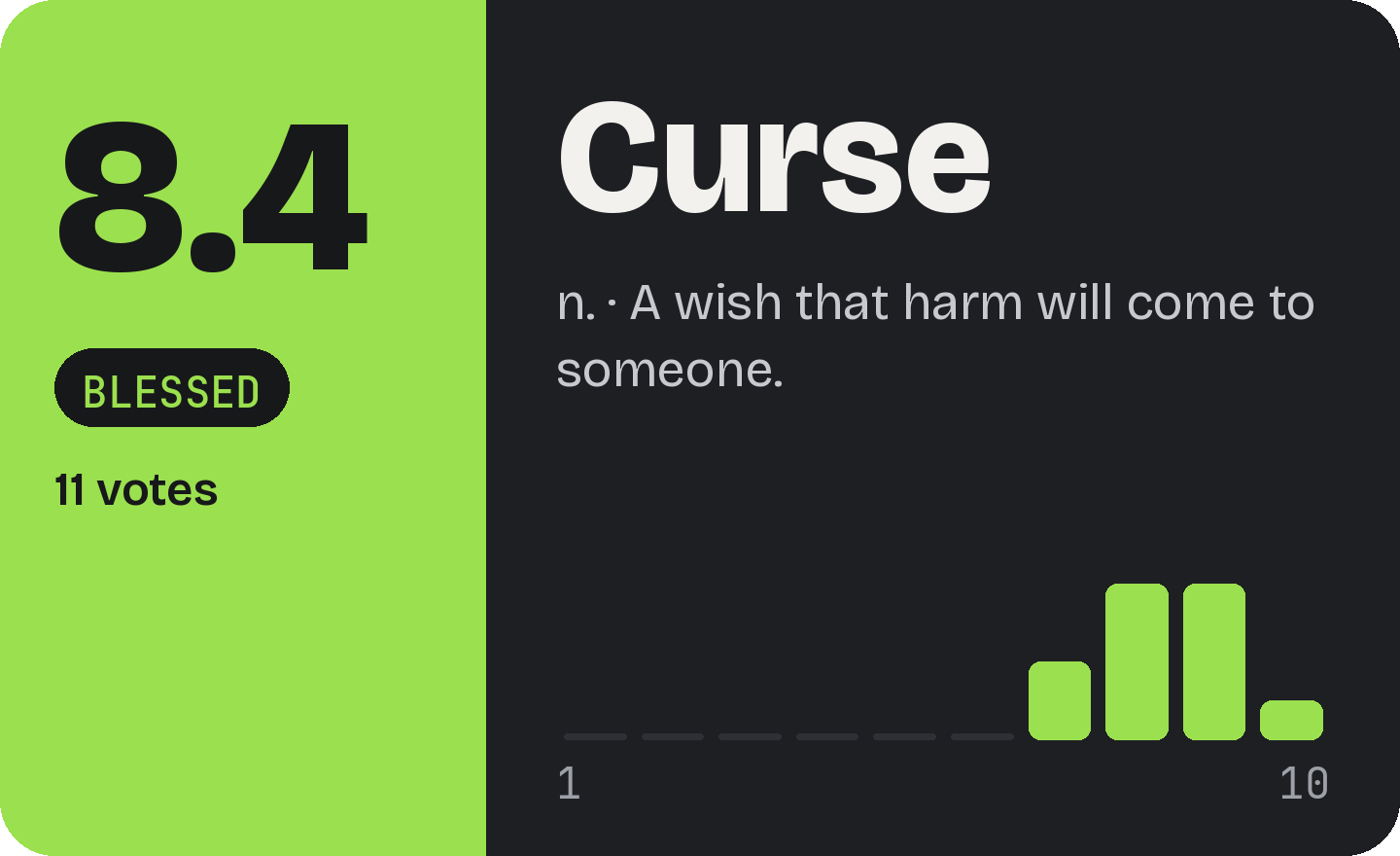
How voting works in each
| Style | Vote | See who voted | Delete |
|---|---|---|---|
| Buttons | Tap a button from 1 to 10 | 👀 Votes button, only for you | 🗑️ button (while there are no votes) |
| Image A, B, C | React with 1 to 10 under the image | Clicking the reaction shows the list | /delete |
On images only one reaction per person counts: if you react with another number, the previous one goes away by itself. Whoever posted the word cannot vote; their reaction is removed.
How the card changes Code
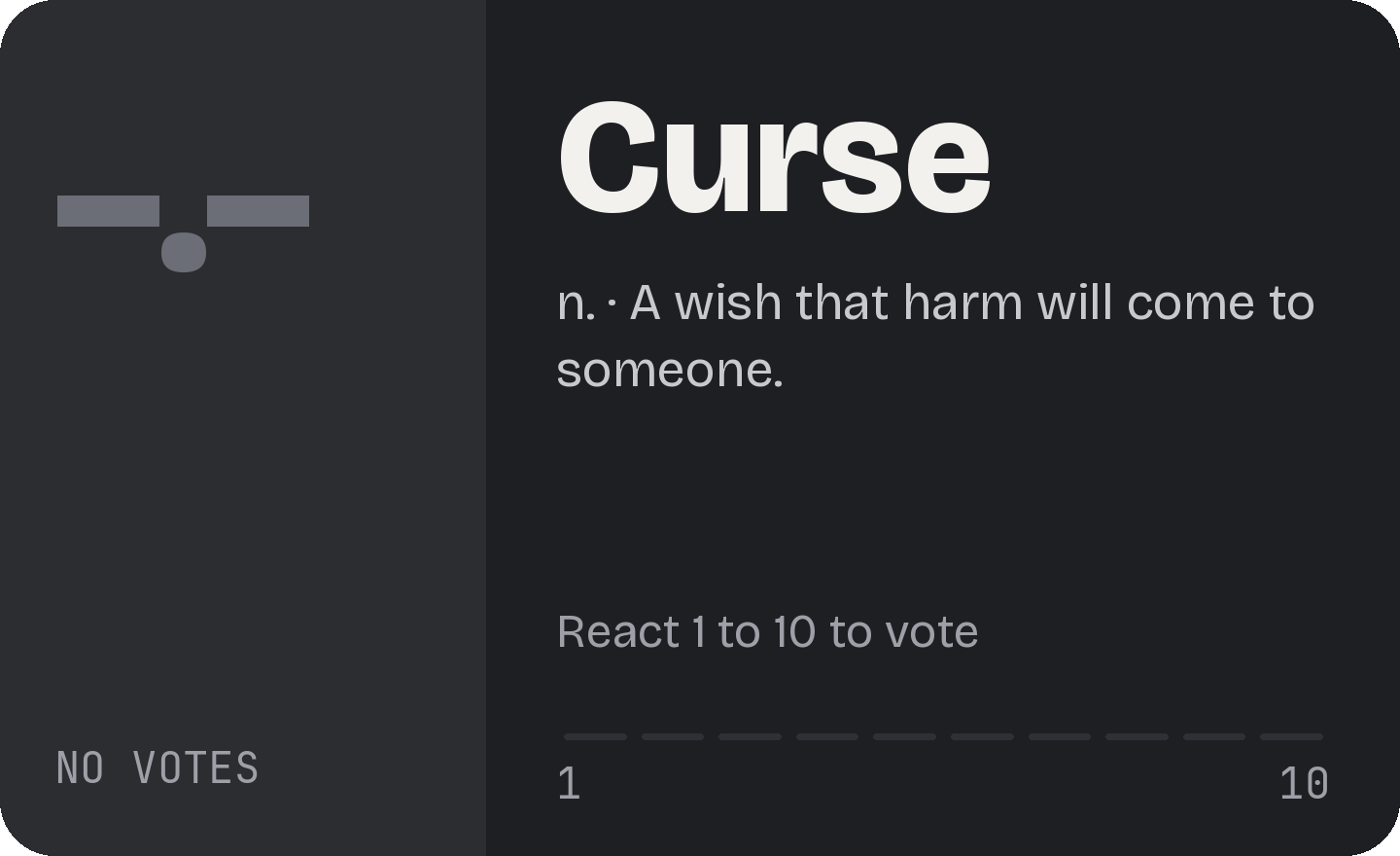
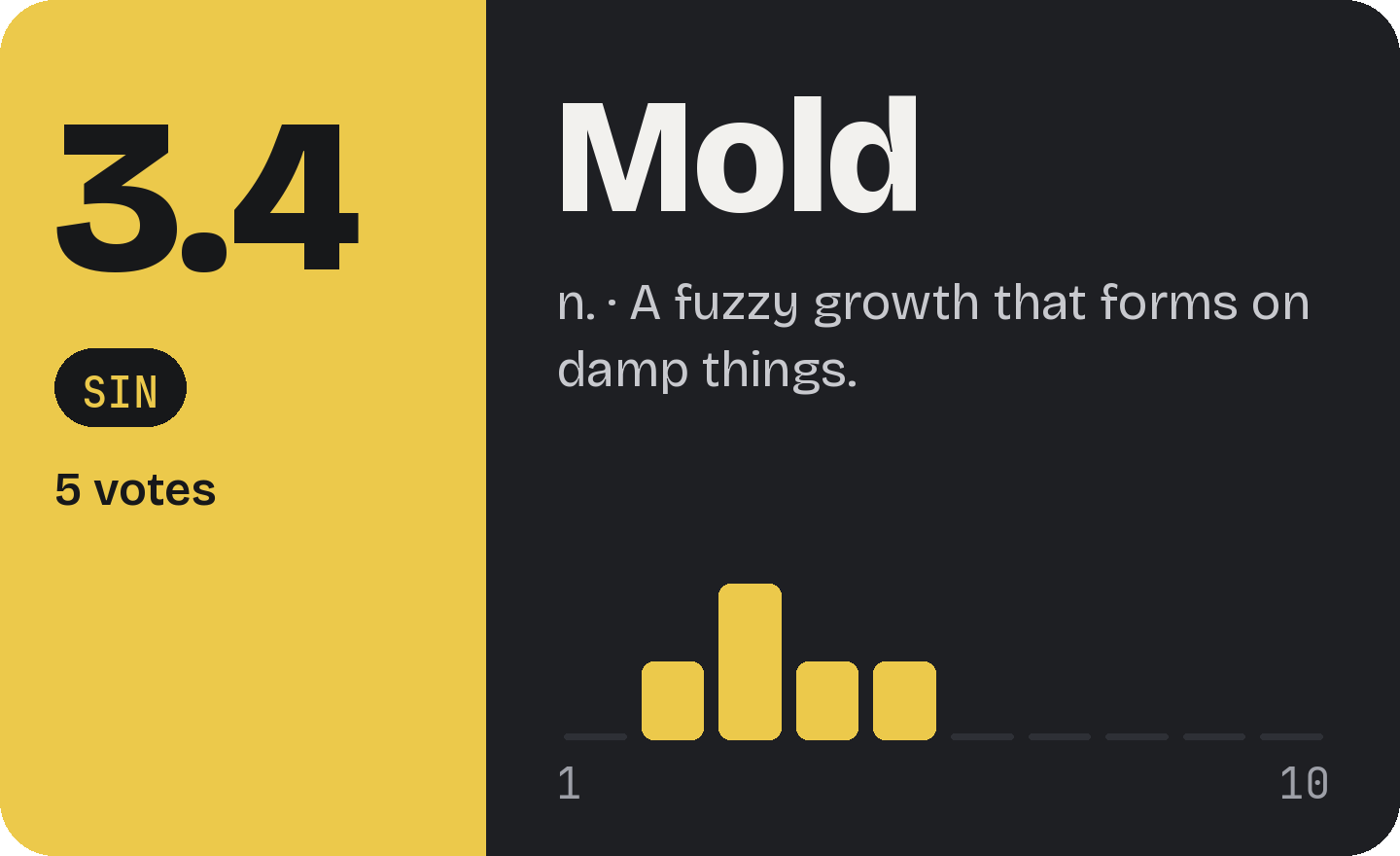
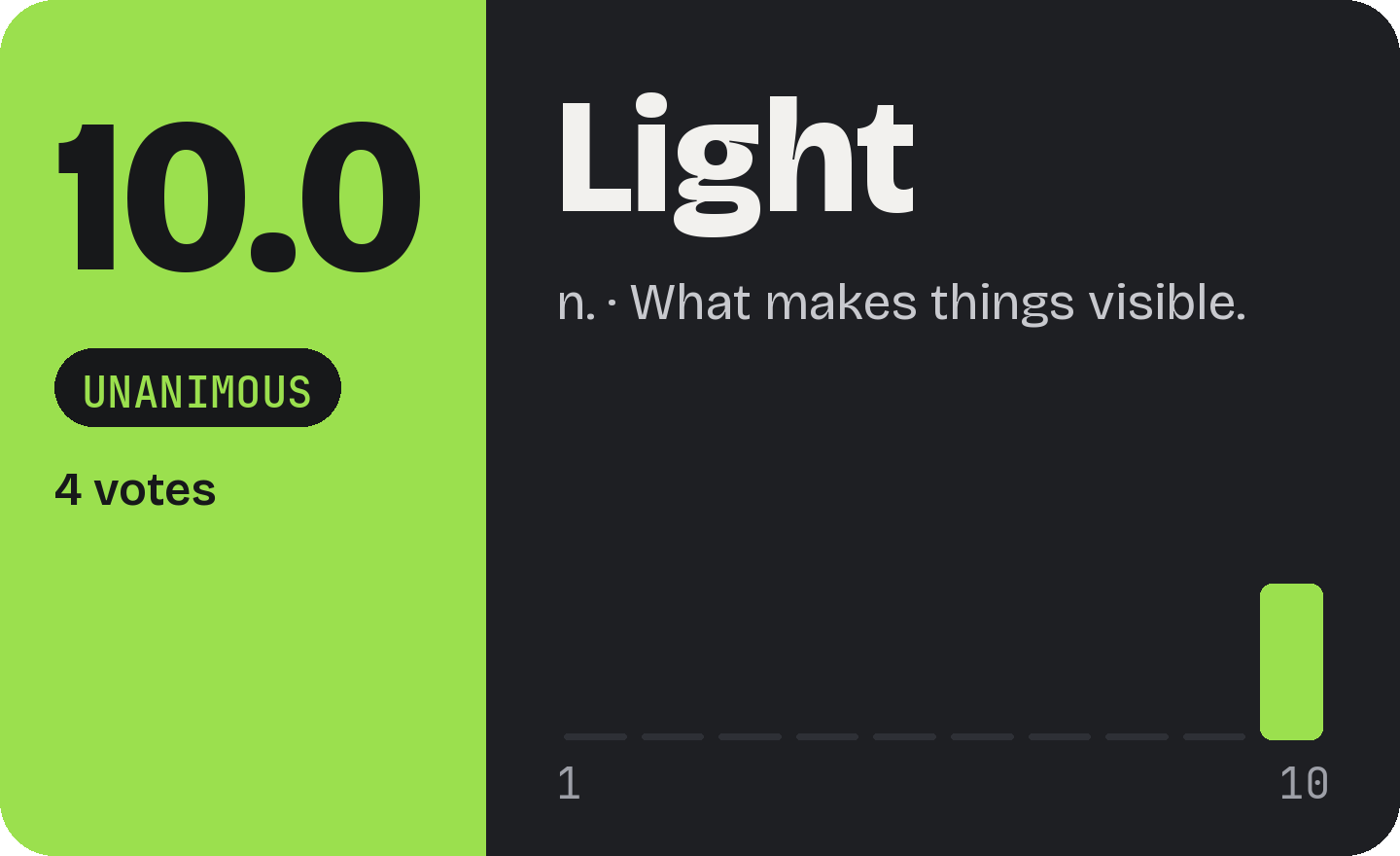
The same card looks different depending on the votes. It is redrawn on every vote.
Labels and colours Code
The label only appears with 2 or more votes. With no votes the card is grey.
| Average | Label | Colour |
|---|---|---|
| 9 to 10 | Sacred | lime |
| 7 to 8.9 | Blessed | lime |
| 5 to 6.9 | Mundane | lime from 6, gold below |
| 3 to 4.9 | Sin | gold |
| below 3 | Heresy | gold |
| 3+ votes, all tens | Unanimous | lime |
| no votes | no label | grey |
Colour is never the only signal: the rating is always also a number and a label. Portuguese servers see Sagrada, Abençoada, Mundana, Pecado, Heresia and Unânime.
How points are earned Code
Two rules. A word with fewer than 2 votes gives no points and does not enter the word rankings.
A word you posted
Worth its average, but only with 2 or more votes.
A vote you gave
Worth 1 point, always.
Example
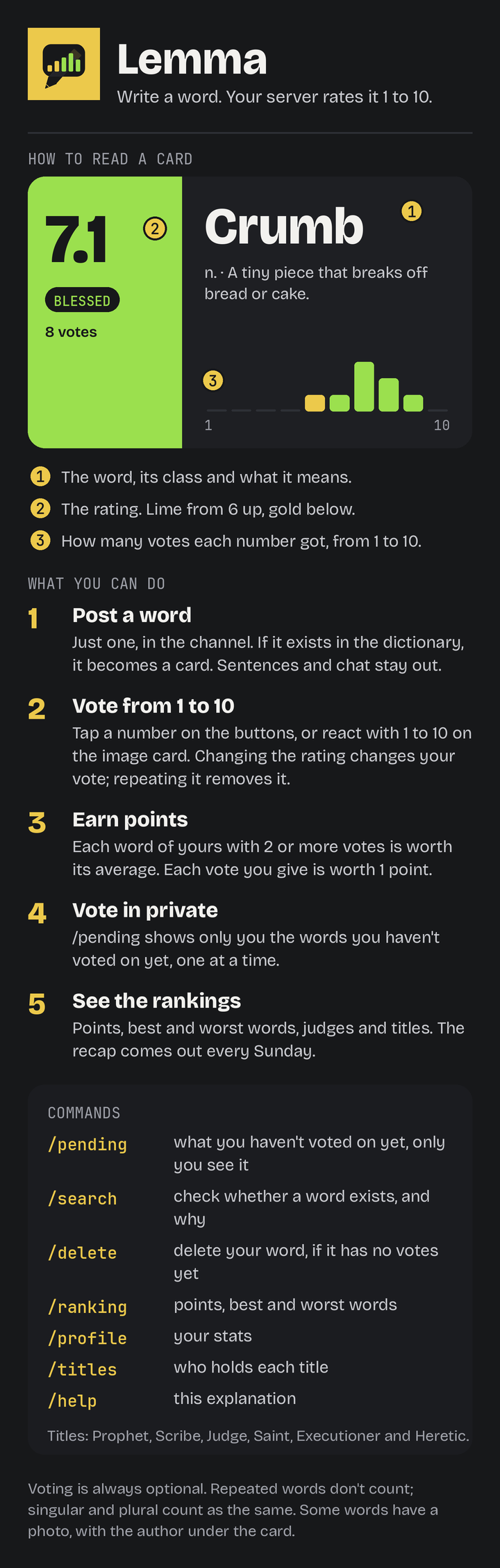
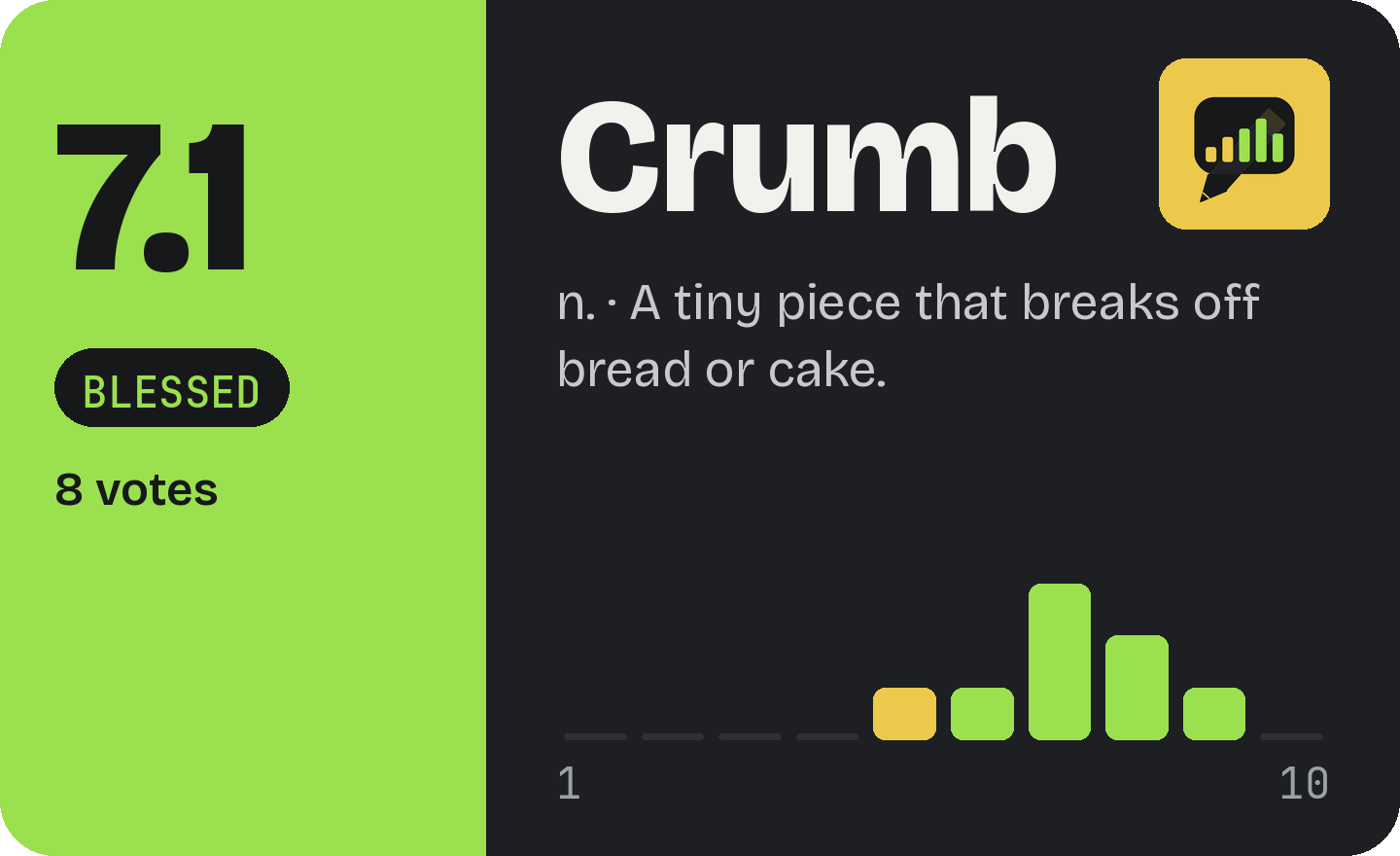
Ana posted Crumb, which got 8 votes and an average of 7.1. She gave 5 votes to other people's words.
7.1 + 5 = 12.1 points
Titles and roles Manager
Six titles, worked out on the spot. Each has a role in the server, which the bot creates and passes to the new holder by itself. The role is named with just the emoji and grants no permissions. A manager can turn the roles off; the titles still exist.
| Title | Who holds it | Minimum | Role colour |
|---|---|---|---|
| 👑 Prophet | best average across their words | 3 words with 2+ votes | gold |
| ✍️ Scribe | most words posted | 1 word | blue |
| ⚖️ Judge | most votes given | 1 vote | purple |
| 😇 Saint | gives the highest ratings | 5 votes given and 2 eligible people | light yellow |
| 🪓 Executioner | gives the lowest ratings | 5 votes given and 2 eligible people | dark red |
| 🔥 Heretic | author of the word with the worst average | a word with 2+ votes | orange |
The emojis show next to the name in /ranking and /profile. You can change a role's colour by hand in the server, but do not rename it: that is how the bot recognises it.
Rankings and profile Everyone
/ranking has a menu with four views of 10 places each: Points, Best words, Worst words and Judges.
Invented names and numbers.
What each view shows
| Points | who has the most points |
| Best | the words with the best average |
| Worst | the words with the worst average |
| Judges | who gave the most votes |
/profile shows, only to whoever asks, a person's points, position, words, votes given, and best and worst word. /titles says who holds each title.
Weekly recap Manager
It posts by itself once a week, by default on Sunday at 21:00 (Lisbon time), if there was activity in the last 7 days. The day, hour and time zone are chosen per server, and the recap can be turned off. If the bot is down at that hour, that week's recap is skipped. /recap posts it right away, by hand (Manager).
What it contains
- The best and worst word of the week (🏆 and 💀).
- The podium of points earned during the week.
- The titles that changed hands since the last recap.
- The total of words and votes.
Word photos Manager
When a free photo exists for the word, it shows in the corner of the card. If not, the card has none. The photo arrives after the card, which is then redrawn.
Rules
- They come from Wikimedia (Portuguese Wikipedia and Commons).
- Only licences that allow use with credit: CC BY, CC BY-SA, CC0 and public domain.
- The file name must contain the whole word. Words under 4 letters get no photo.
- No sexual content, no photos of people, and a list of words that never get a photo.
- A manager can turn photos off for the server. When off, the word is also no longer sent to Wikimedia.
/nophoto palavra(Owner) removes a word's photo and does not look again.
What counts as a word Code
The bot looks at each message in the game channel (when reading is on) and decides in this order. Anything that does not pass is just chat: nobody is told.
| Message | The bot… |
|---|---|
| from a bot, a reply, with an attachment or sticker | ignores it |
| more than one word, with numbers, punctuation or links | ignores it |
| shorter than 2 or longer than 30 letters | ignores it |
| no vowels ("fds") or 3 repeated letters in a row ("looool") | ignores it |
| a single word on its own | goes to the dictionary |
What the dictionary decides
For an English server, with the Wiktionary:
| Result | Example | In the channel |
|---|---|---|
| Noun, adjective or verb | curse | Message deleted and the card appears |
| Plural of a noun or adjective | curses | Enters as "curses", with the singular's definition |
| Alternative spelling | colour | Enters, with the main spelling's definition |
| Only a form of another word | ran, went | Nothing (it is just a form of "run", "go") |
| Exists but does not count | the, quickly | Nothing |
| Does not exist | asdfgh | Nothing |
| Dictionary did not answer | any | ⚠️ reaction on your message |
A word that is also a real noun or adjective counts even if it looks like a form: "cursed" and "running" do. Portuguese servers use the Priberam Dictionary, where missing accents are fixed by themselves and typos are suggested.
- Repeats: each word enters only once per server. Case, accents and hyphens are ignored, and singular and plural count as the same.
- Word already there: your message is deleted and a notice with a link to the original card shows for 12 seconds.
- Definition: the first sense in the dictionary (Wiktionary for English servers, Priberam for Portuguese ones), cut with "…" on images from 220 characters.
Commands and who can use them
| Command | Who | Options | What it does |
|---|---|---|---|
/help | Everyone | none | Explains the bot in an image, only to whoever asks |
/ranking | Everyone | menu: points, best, worst, judges | Shows the ranking |
/profile | Everyone | member (optional, defaults to you) | One person's stats |
/titles | Everyone | none | Who holds each title |
/search | Everyone | word (with suggestions) | Shows the card, only to you, and you can vote. If it does not exist, says why |
/pending | Everyone | none | Sends by DM, one at a time, the words you have not voted on yet |
/delete | Everyone | word (with suggestions) | Deletes a word of yours with no votes. The owner deletes any |
/word | Everyone | word | Posts a word in the game channel without typing in the channel |
| "Post as word" menu | Everyone | on a message | Posts that message's text as a word |
/setup | Manager | channel, read_channel, code (all optional) | Picks the game channel and applies the options from a code made on the setup page. With no options, shows the current settings |
/style | Manager | style: buttons, A, B or C | Changes the style of this server's cards |
/recap | Manager | none | Posts the weekly recap right away |
/import | Manager | none | Imports the channel's old words and reactions |
/stats | Owner | member (optional), days (1 to 365, default 30) | Bot usage, with numbers and a chart |
/nophoto | Owner | word | Removes a word's photo |
/reset | Owner | asks for confirmation (30 seconds) | Deletes words, votes and cards, with a backup |
The Manager commands show up for whoever has the Manage Server permission.
Example: /pending
Only you see the card. After voting or skipping, it moves to the next. If you have this server's DMs turned off, the bot tells you.
Bot configuration Owner
Two values, in a .env file next to the bot. Each server's channel is no longer here: it is picked with /setup. After changing the file the bot must be restarted. The values below are invented.
# The bot's token. Never share it.
DISCORD_TOKEN=the_bot_token


# Who can /reset, /stats, /nophoto and delete any word.
OWNER_ID=123456789012345678
| Value | What it is for | If missing |
|---|---|---|
DISCORD_TOKEN | Connects the bot to Discord | The bot does not start |
OWNER_ID | The person with the owner powers | Uses the owner set in the code |
For the bot to read words typed in the channel (the read_channel option of /setup), turn on Message Content Intent in the Developer Portal, under Bot. Without it the bot works with /word and the menu.
Fixed values Code
These values are in the code. They change by editing the bot, not by command.
| What | Value |
|---|---|
| Votes for a word to count | 2 |
| Weekly recap (default) | Sunday, 21:00 (Lisbon); each server can change it |
| Repeated-word notice | 12 seconds |
| First-time tip | 20 seconds in the channel; private on buttons and commands |
| Letters in a word | 2 to 30 |
| Accent attempts per word | up to 16 dictionary lookups |
| Rating scale | 1 to 10 |
| Places in each ranking | 10 |
/reset confirmation | 30 seconds |
/import progress update | every 3 seconds |
What /help shows